🎉 Jusqu'à 70% de réduction sur une sélection d'articlesVoir les soldes
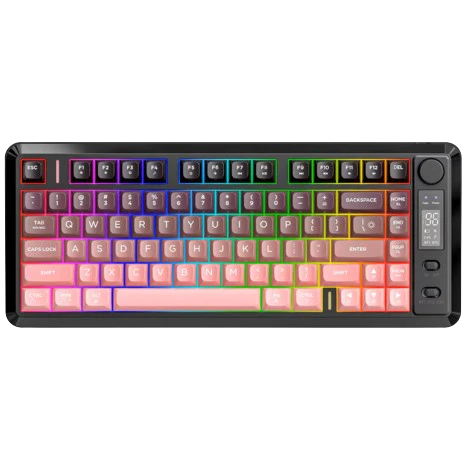
FreeWolf M75 Wireless
Important: This is not a Mechanical Keyboard. This is a Membrane Keyboard
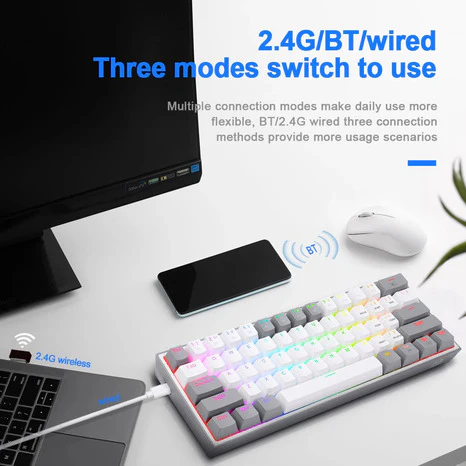
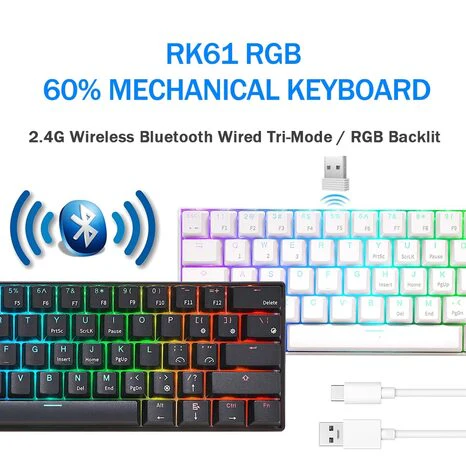
- [Dual-Mode Wireless & Multi-OS Compatibility] Experience ultimate flexibility with dual-mode connectivity:Bluetooth 5.1/5.2 + ultra-stable 2.4GHz wireless. Seamlessly switch between Windows PC,MacBook,and Linux systems with one-touch control—perfect for hybrid workspaces demanding typing and gaming, eliminating cable clutter.
- [Smart Display & Multi-functional Knob] The M75 gaming keyboard owns smart design.The knob:Rotate left/right to adjust the volume press down for 5 seconds and can be adjusted the backlight.The right-side OLED display shows real-time battery,connection mode,and charging status,delivering both efficiency and aesthetic innovation.This membrane keyboard is designed with a mechanical tactile sensation without making noisy sounds,ideal for late-night work or noise-sensitive environments.
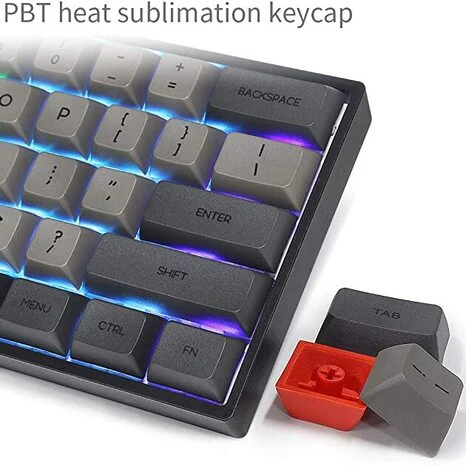
- [World's 1st Gradient PBT Keycaps on Membrane] The Freewolf M75 wireless gaming keyboard is the first membrane keyboard with gradient PBT keycaps,combining vibrant fade-resistant colors with spherical concave design for ergonomic comfort.These double-shot PBT keycaps resist oils,fading,and yellowing even after 10M+ keystrokes—outlasting cheap ABS alternatives.The textured surface enhances grip, while the curved profile reduces finger fatigue during marathon typing sessions.
- [82-Key Compact Layout & Anti-Ghosting Hub] The 75 percent keyboard with an 82-key compact layout retains essential functions without sacrificing usability.26-key rollover technology guarantees zero input conflicts during complex shortcuts—critical for FPS/MOBA gamers executing WASD+skill combos.
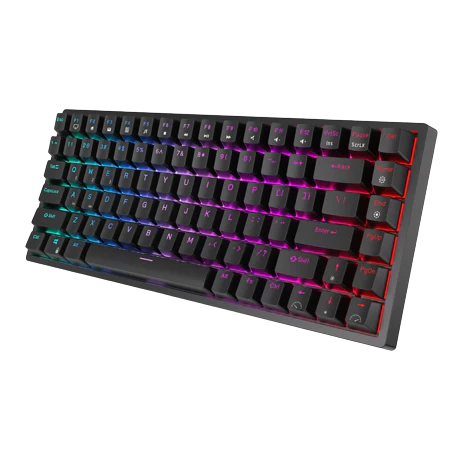
- [2000mAh Long-Lasting Battery & Rainbow Backlit] A robust 2000mAh battery delivers lab-tested 150-hour runtime (backlight off)—equivalent to 3 weeks of office use or 6 gaming marathons on a single charge.Press down Fn+ I to switch light modes and press down Fn+↑↓to adjust the backlit brightness.Tip:The keycaps are opaque.
$23.80
Original : $68.00
-65%FreeWolf M75 Wireless—
$68.00
$23.80Informations sur le produit
Informations sur le produit
Livraison et retours
Livraison et retours
Description
Important: This is not a Mechanical Keyboard. This is a Membrane Keyboard
- [Dual-Mode Wireless & Multi-OS Compatibility] Experience ultimate flexibility with dual-mode connectivity:Bluetooth 5.1/5.2 + ultra-stable 2.4GHz wireless. Seamlessly switch between Windows PC,MacBook,and Linux systems with one-touch control—perfect for hybrid workspaces demanding typing and gaming, eliminating cable clutter.
- [Smart Display & Multi-functional Knob] The M75 gaming keyboard owns smart design.The knob:Rotate left/right to adjust the volume press down for 5 seconds and can be adjusted the backlight.The right-side OLED display shows real-time battery,connection mode,and charging status,delivering both efficiency and aesthetic innovation.This membrane keyboard is designed with a mechanical tactile sensation without making noisy sounds,ideal for late-night work or noise-sensitive environments.
- [World's 1st Gradient PBT Keycaps on Membrane] The Freewolf M75 wireless gaming keyboard is the first membrane keyboard with gradient PBT keycaps,combining vibrant fade-resistant colors with spherical concave design for ergonomic comfort.These double-shot PBT keycaps resist oils,fading,and yellowing even after 10M+ keystrokes—outlasting cheap ABS alternatives.The textured surface enhances grip, while the curved profile reduces finger fatigue during marathon typing sessions.
- [82-Key Compact Layout & Anti-Ghosting Hub] The 75 percent keyboard with an 82-key compact layout retains essential functions without sacrificing usability.26-key rollover technology guarantees zero input conflicts during complex shortcuts—critical for FPS/MOBA gamers executing WASD+skill combos.
- [2000mAh Long-Lasting Battery & Rainbow Backlit] A robust 2000mAh battery delivers lab-tested 150-hour runtime (backlight off)—equivalent to 3 weeks of office use or 6 gaming marathons on a single charge.Press down Fn+ I to switch light modes and press down Fn+↑↓to adjust the backlit brightness.Tip:The keycaps are opaque.